There may be times when it is necessary to archive a pupil’s plan, so that it is no longer active for the pupil, but it can still be accessed by staff members.
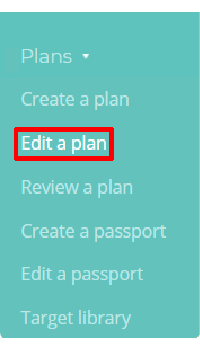
To do this, mouse over the Plans tab at the top of the page and select Edit a plan from the drop down menu.
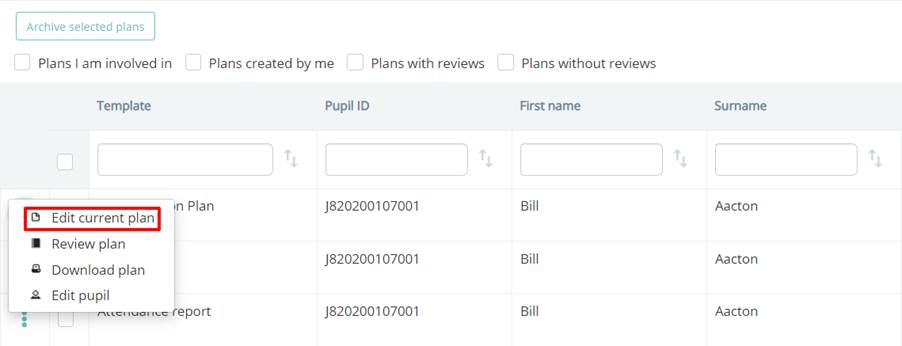
This will take you to a list of your school’s active plans. To archive a plan, click on the three dots menu for the plan of your choice and select Edit current plan.
You will be redirected to the selected plan. Click on the Archive button in the top right hand corner of the page.

A popup will appear, prompting you to choose how to archive the plan. The available options are explained in more detail below:
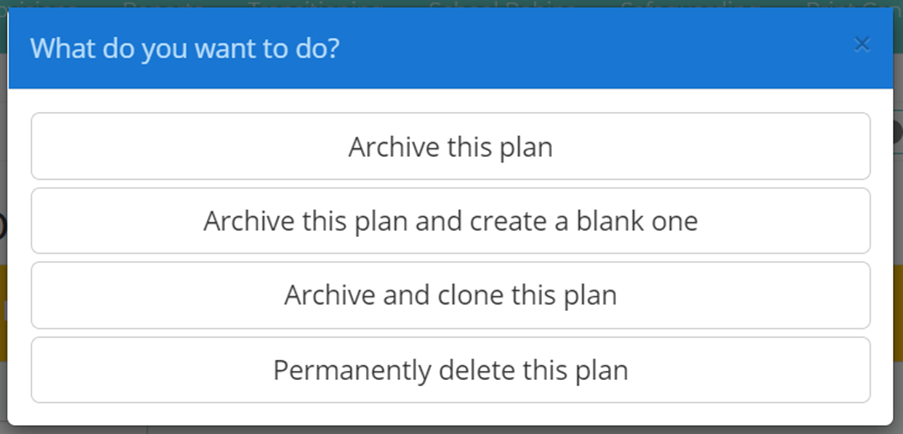
Archive this plan: The selected plan will be archived.
Archive this plan and create a blank one: The selected plan will be archived and you will be redirected to an empty plan that uses the same plan template.
Archive and clone this plan: The selected plan will be archived and you will be redirected to an identical copy.
Permanently delete this plan: The selected plan will be permanently removed from your school’s Provision Map account.
Archiving multiple plans
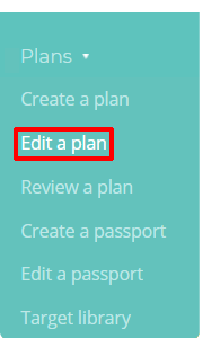
You can also bulk archive plans which are no longer being applied in your school. To do this, mouse over the Plans tab at the top of the page and select Edit a plan from the drop down menu.
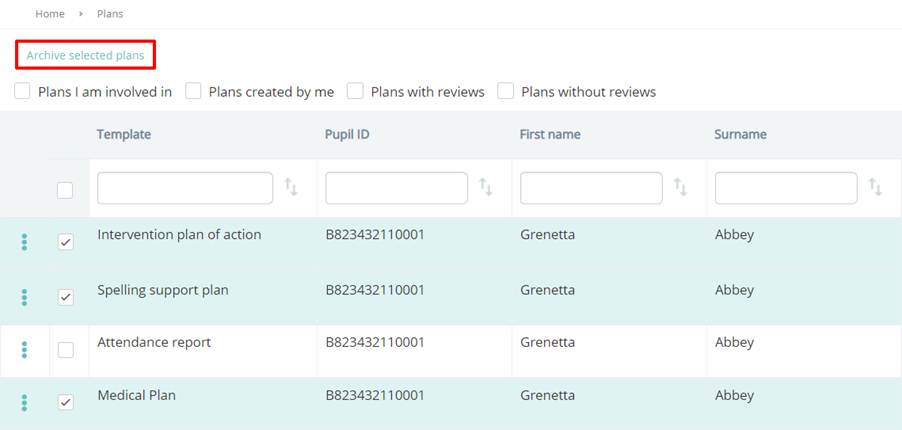
This will take you to a list of your school’s active plans. To archive multiple plans at once, tick the checkbox next to the plans that you would like to archive and click on the Archive selected plans button above the table.
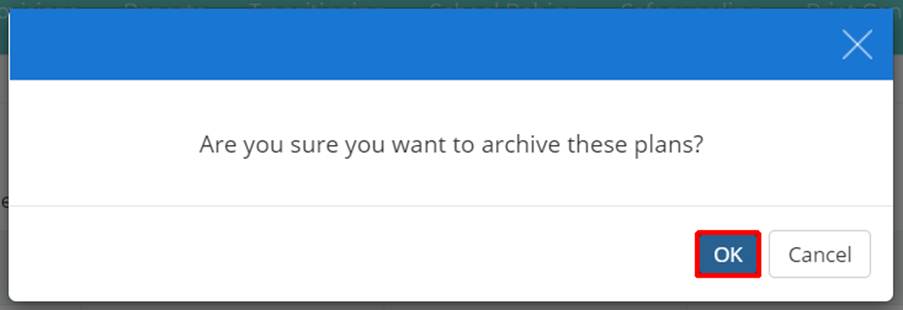
A confirmation popup will appear. Click on the OK button to continue.
Was this article helpful?
That’s Great!
Thank you for your feedback
Sorry! We couldn't be helpful
Thank you for your feedback
Feedback sent
We appreciate your effort and will try to fix the article