Even if you choose to include a section as part of your custom learning plan template, you may not necessarily want to display it on plan printouts. Custom templates allow you to select which sections to include on plan printouts.
To prevent a section from appearing on printouts, click on the printer icon.
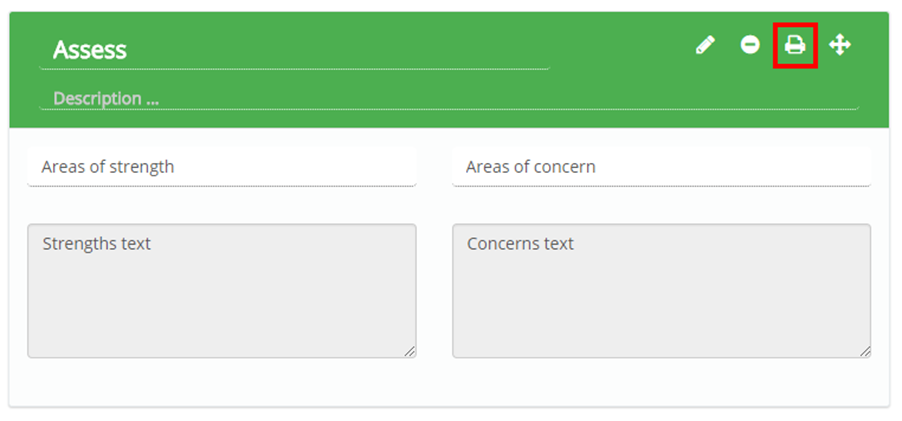
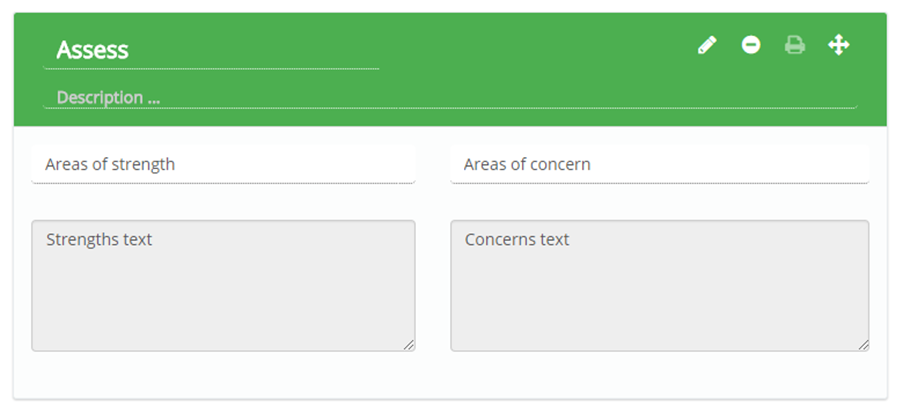
The printer icon will appear faded, indicating that it will not show up on printouts. To include the section on printouts again, click on the faded printer icon to bring back the original icon.
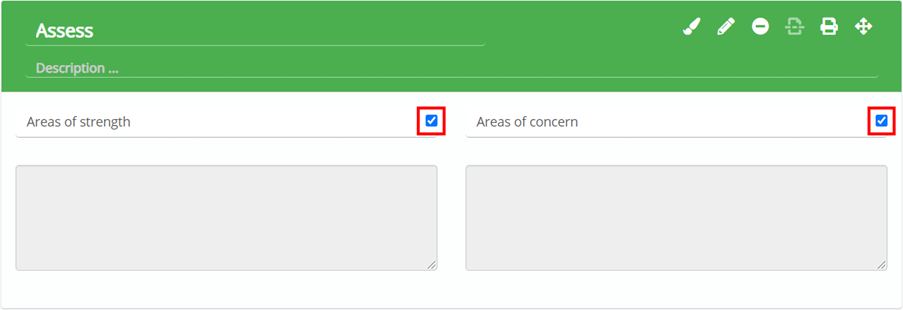
Hiding the areas of strength and areas of concern text areas
If you do not want to see the Areas of strength or Areas of concern text areas in the Assess section of plans that apply this template, untick the checkboxes next to each text area.
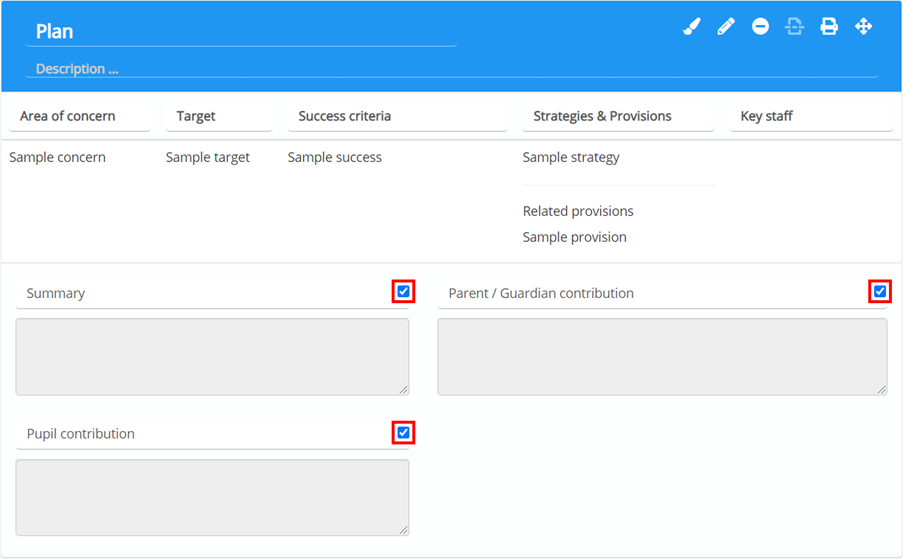
Hiding the plan summary and contribution text areas
If you do not want to see the Summary, Parent / Guardian contribution or Pupil contribution text areas in the Plan section of plans that apply this template, untick the checkboxes next to each text area.
Was this article helpful?
That’s Great!
Thank you for your feedback
Sorry! We couldn't be helpful
Thank you for your feedback
Feedback sent
We appreciate your effort and will try to fix the article