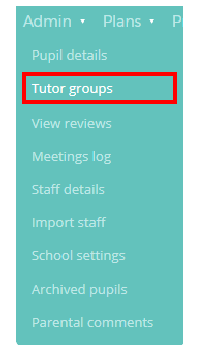
If you have not linked up Provision Map to your school’s Management Information System (MIS), you can directly manage your tutor groups through Provision Map. To create a new tutor group, mouse over the Admin tab at the top of the page and select the Tutor groups option from the drop down menu.
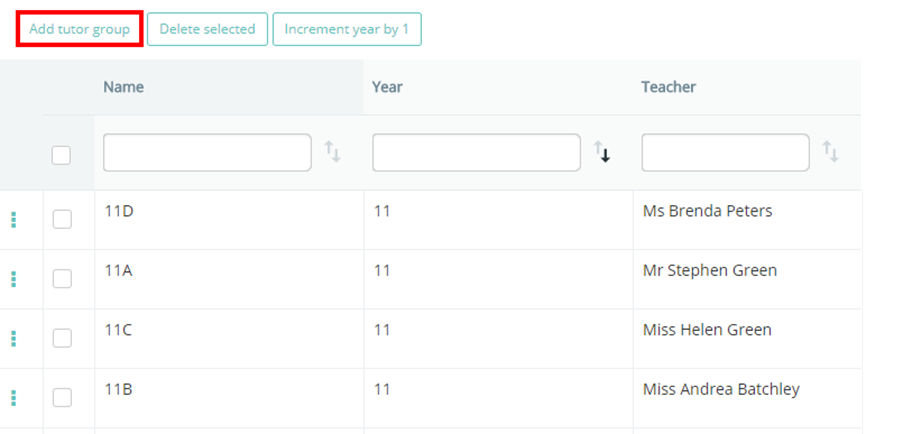
This will bring up a list of the tutor groups that are currently in Provision Map. Click on the Add tutor group button to begin creating a new tutor group.
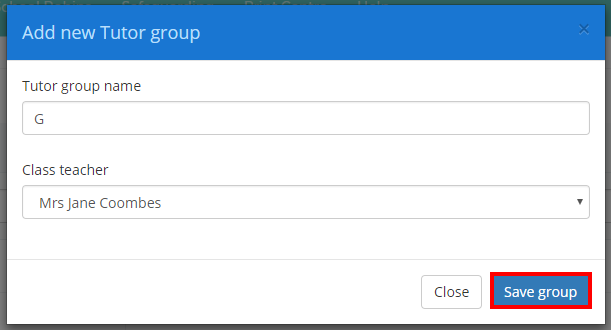
A pop up form will appear where you can enter the name of the tutor group and assign a teacher. Once you are happy with the details, click on the Save group button.
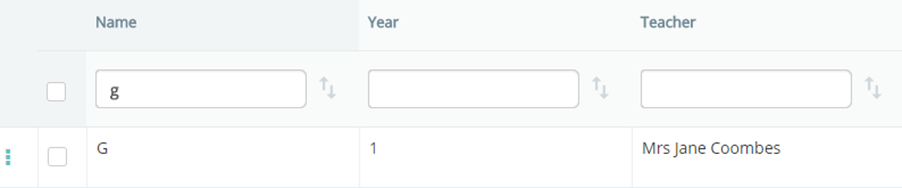
The new tutor group will then appear in the list of available tutor groups.
Was this article helpful?
That’s Great!
Thank you for your feedback
Sorry! We couldn't be helpful
Thank you for your feedback
Feedback sent
We appreciate your effort and will try to fix the article