There may be times when it is necessary to access your school’s archived pupils. For example, to view their pupil documents and make historical changes.
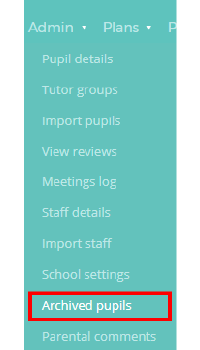
To view archived pupils, mouse over the Admin tab along the top of the page and select Archived pupils from the list of available options.
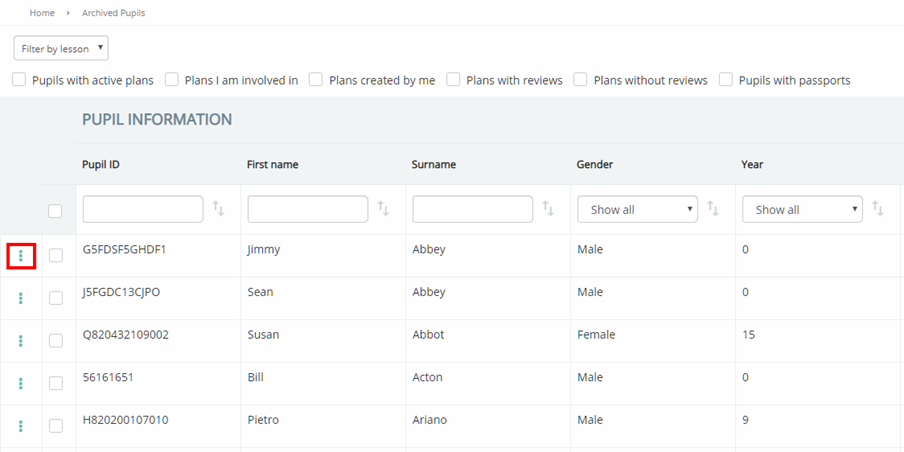
You will be presented with a list of pupils that been archived in your school’s Provision Map account. To manage an archived pupil, click on the three dots menu for a pupil in the list. The available options are described below:
Restoring an archived pupil
If you are a manual school, you can restore archived pupils yourself. To unarchive an archived pupil, select Restore pupil from the popup menu.
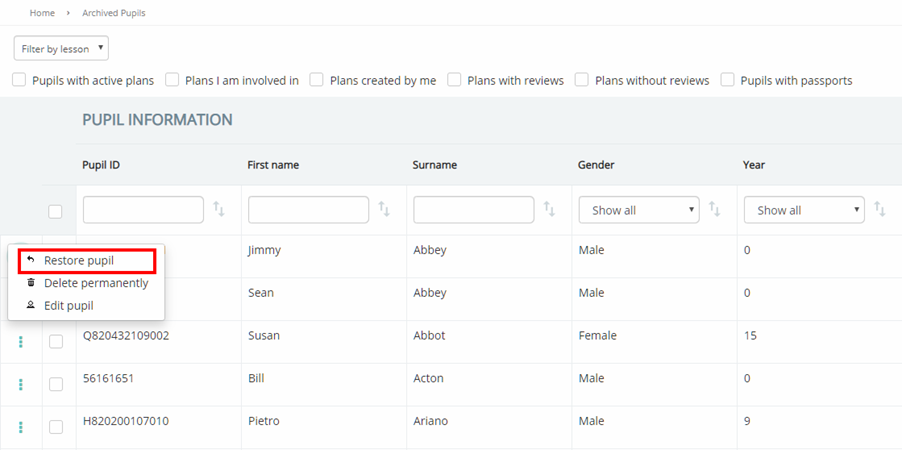
The selected pupil will return to the Pupil details page, allowing them to be assigned to plans, provisions and passports again.
Permanently deleting a pupil
If you are a manual school, you can permanently delete archived pupils. To permanently remove a pupil from Provision Map, select Delete permanently from the popup menu.
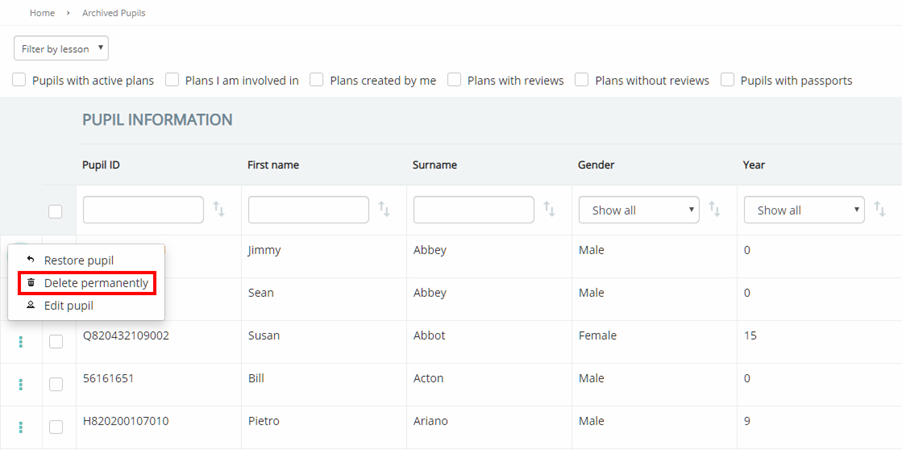
The selected pupil will no longer appear within the Archived pupils list.
Editing an archived pupil
To make changes to an archived pupil, select Edit pupil from the popup menu.
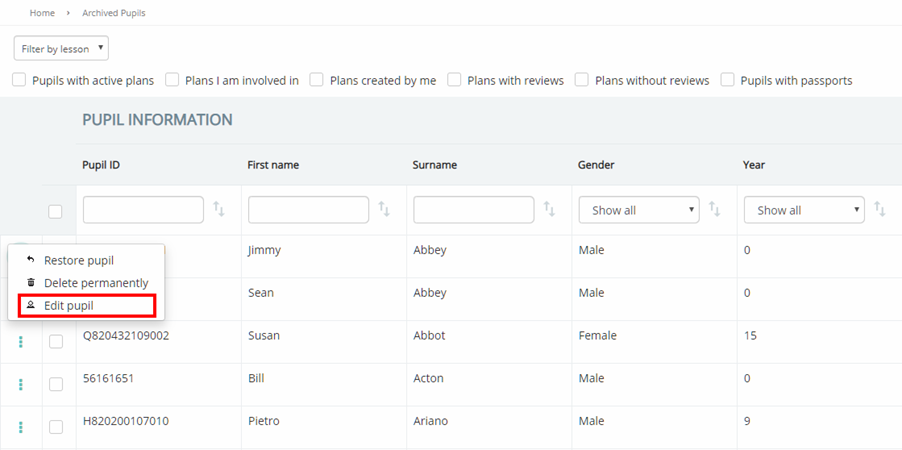
You will be redirected to the pupil’s profile, allowing you to make changes to their data.
Tracking pupils over 25 or 31
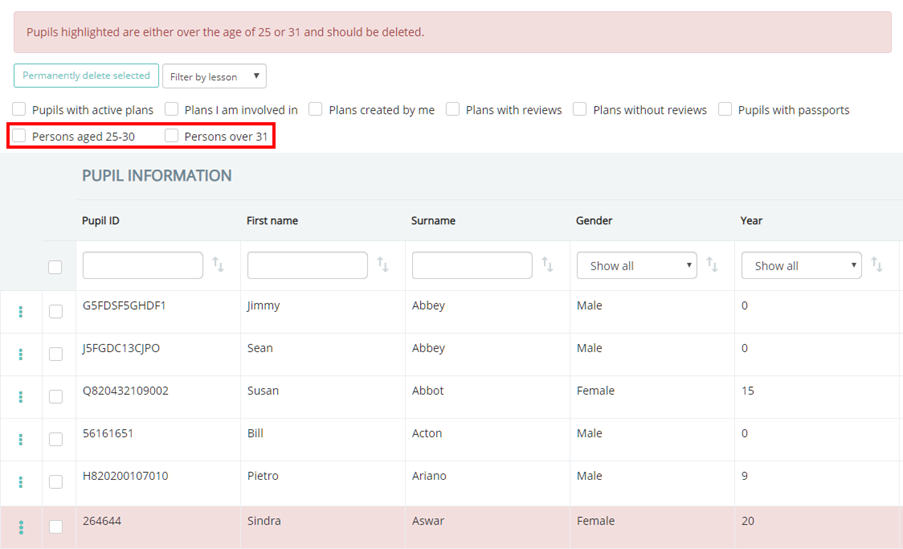
If there are archived pupils in your Provision Map account that are over the ages of 25 or 31, you will see a red warning banner along the top of the Archived Pupils page.
To filter the list of archived pupils to those over 25 or 31, tick the Persons aged 25-30 or Persons over 31 checkboxes
Was this article helpful?
That’s Great!
Thank you for your feedback
Sorry! We couldn't be helpful
Thank you for your feedback
Feedback sent
We appreciate your effort and will try to fix the article