If you have not linked up Provision Map to your school’s Management Information System (MIS), you can directly manage your tutor groups through Provision Map.
Please note: We recommend archiving any pupils that will be leaving the school, so that their groups are not updated.
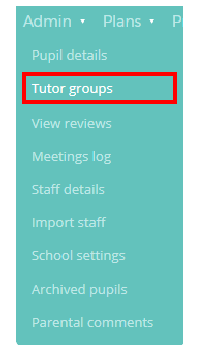
To increment the year of ALL tutor groups by 1, mouse over the Admin tab at the top of the page and select the Tutor groups option from the drop down menu.
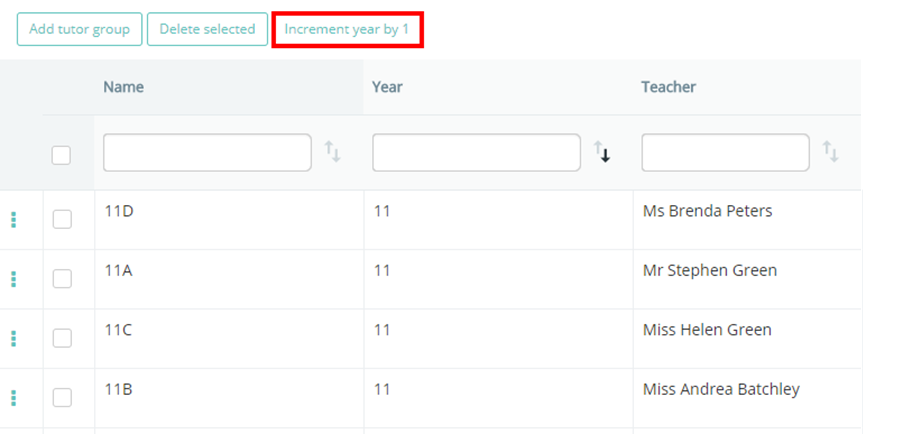
This will bring up a list of the tutor groups that are currently in Provision Map. Click on the button labelled Increment year by 1.
A pop up dialog will appear, asking you to confirm your choice. Click OK.
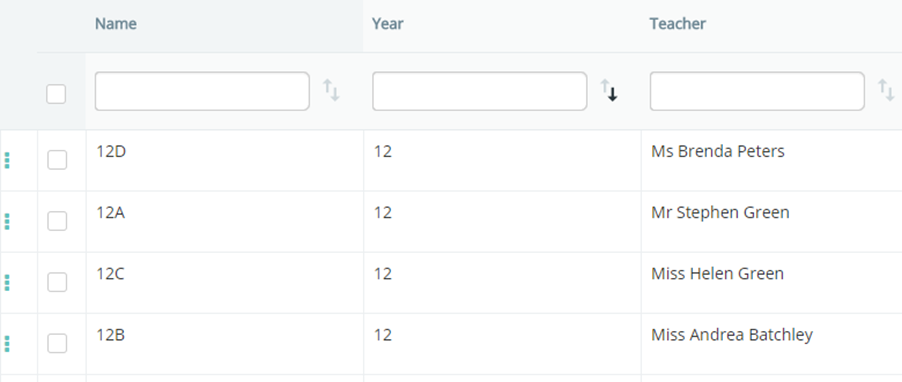
All tutor groups and year groups in Provision Map will now be incremented by 1 academic year. For example, if a tutor group was in Year 8 before the increment, it will now be in Year 9.
Was this article helpful?
That’s Great!
Thank you for your feedback
Sorry! We couldn't be helpful
Thank you for your feedback
Feedback sent
We appreciate your effort and will try to fix the article