There may be times when it is necessary to amend the details of a pupil’s plan.
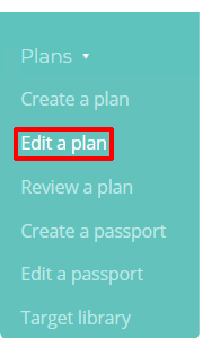
To edit a plan, mouse over the Plans tab at the top of the page and select Edit a plan from the drop down menu.
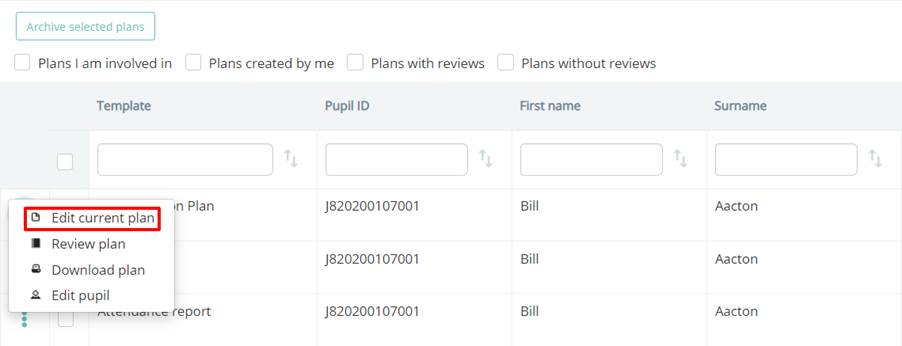
This will take you to a list of your school’s active plans. Click on the three dots menu for the plan of your choice and select Edit current plan.
You will be redirected to the Edit plan page, where you can begin modifying details about the pupil’s individual education needs.
Was this article helpful?
That’s Great!
Thank you for your feedback
Sorry! We couldn't be helpful
Thank you for your feedback
Feedback sent
We appreciate your effort and will try to fix the article