To check which staff members have been archived at your school, mouse over the Admin tab at the top of the page and select Staff details from the list of available options.
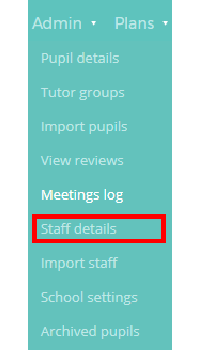
You will be presented with a list of staff members. Scroll down to the bottom of the list to revealed any archived staff members, who will be displayed in grey text. To restore the archived staff member, click on the three dots menu next to the staff member’s name.

Next, select Restore teacher.

The staff member will then be restored in the staff details list, displaying their entry in the standard black text.

Was this article helpful?
That’s Great!
Thank you for your feedback
Sorry! We couldn't be helpful
Thank you for your feedback
Feedback sent
We appreciate your effort and will try to fix the article