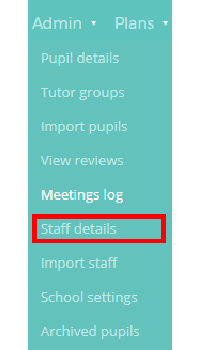
To view the full staff list available in your school’s Provision Map account, mouse over the Admin tab and select the Staff details option from the drop down menu.
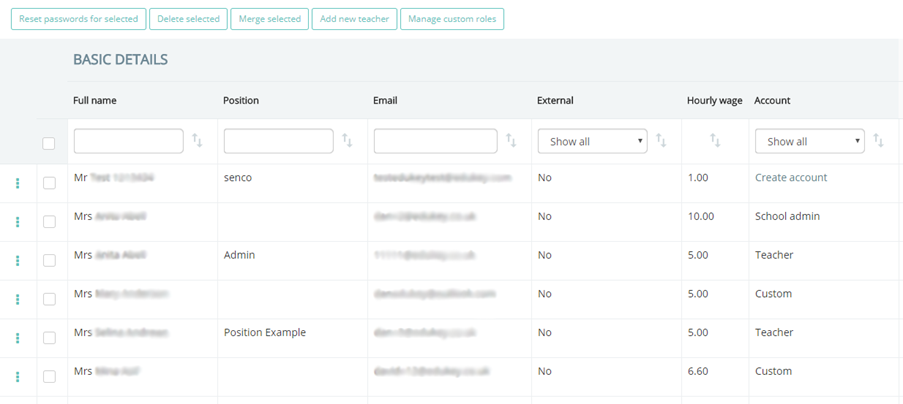
You will be presented with a list of staff members that have been imported into Provision Map, along with any position, email and hourly wage information that has been added. To see which staff members have not been set up with Provision Map accounts, click on the Account drop down menu and select No account.
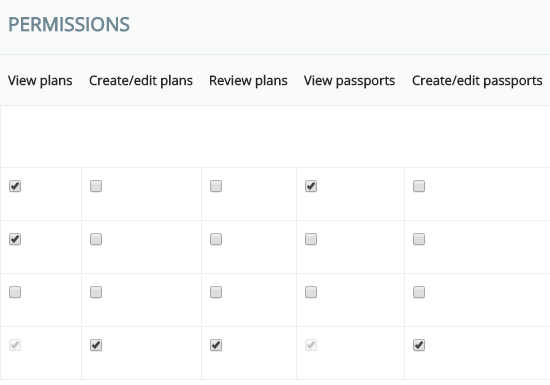
To the right of the staff details, there is a list of Provision Map permissions available for each staff member. Depending on the account type that a staff member has, they will be able to perform different actions in Provision Map. You can find out more about available account types in the following Knowledgebase article.
Was this article helpful?
That’s Great!
Thank you for your feedback
Sorry! We couldn't be helpful
Thank you for your feedback
Feedback sent
We appreciate your effort and will try to fix the article