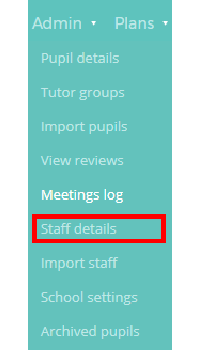
To archive a member of staff from Provision Map, mouse over the Admin tab at the top of the page and select Staff details from the drop down menu.
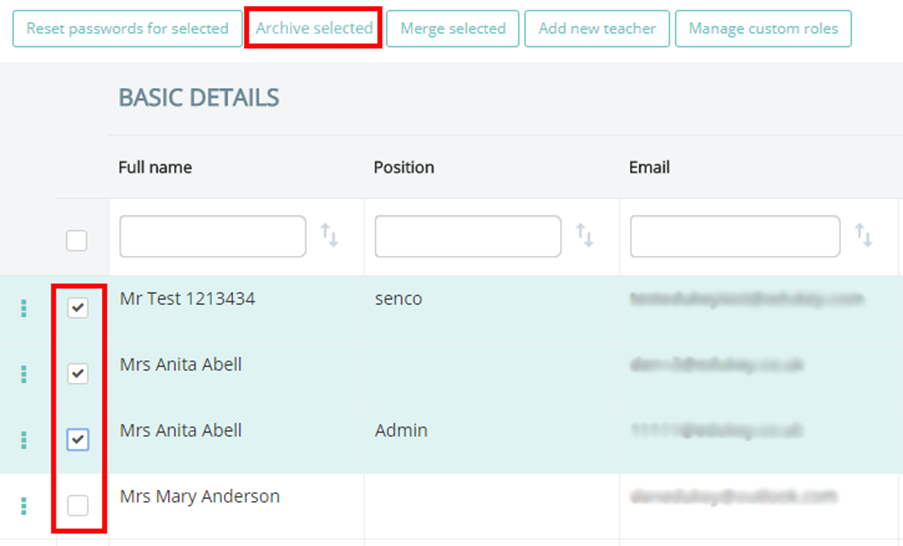
You will be presented with a list of staff members that are currently part of your school’s Provision Map account.
Select which staff members you wish to archive by ticking the checkbox next to their name and click on the Archive selected button above the list.
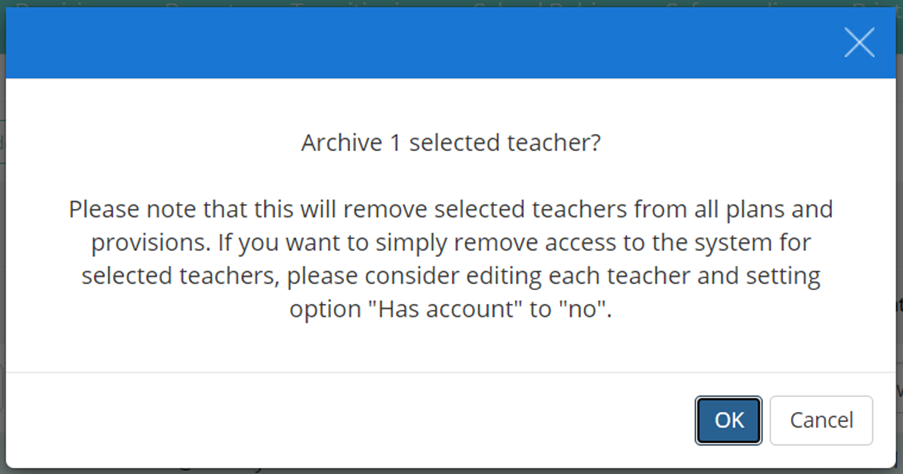
A pop up confirmation will appear, warning you that archiving the selected staff members will also remove them from any plans and provisions that they are currently a part of.
Click on the OK button to finish removing the selected staff members.
Was this article helpful?
That’s Great!
Thank you for your feedback
Sorry! We couldn't be helpful
Thank you for your feedback
Feedback sent
We appreciate your effort and will try to fix the article