The main school admin assigned for your school can be found by clicking on the cog icon in the top right hand corner of the page.
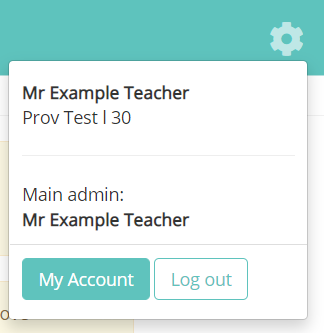
Please contact Provision Map support if the Main admin field is set to ‘None’ and a new user can be assigned this role. (*We will need written permission and instructions from the headteacher before this can be implemented)
If the Main School Admin needs to be changed we will need to receive a request in writing to the following email address, support.provisionmap@tes.com, from either the current Main School Admin or the headteacher.
Was this article helpful?
That’s Great!
Thank you for your feedback
Sorry! We couldn't be helpful
Thank you for your feedback
Feedback sent
We appreciate your effort and will try to fix the article