To generate printable school robins, mouse over the “School Robins” tab at the top of the page and select “View school robins” from the drop down menu.
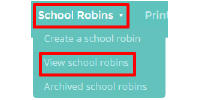
You will see a list of pupils who have school robins associated with them. Click on the 3 dots next to the school robin you wish to print click and select “Download School Robin summary”.
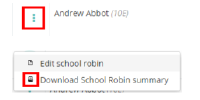
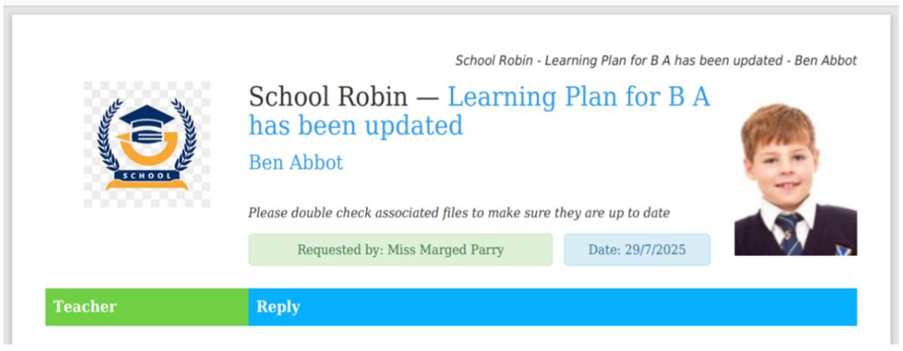
Your report will now download as a PDF file.
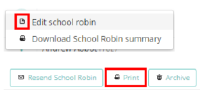
Alternatively, you can download a printable school robin by selecting “Edit school robin” in the 3 dots menu and clicking the “print” button in the top right hand corner.
Was this article helpful?
That’s Great!
Thank you for your feedback
Sorry! We couldn't be helpful
Thank you for your feedback
Feedback sent
We appreciate your effort and will try to fix the article