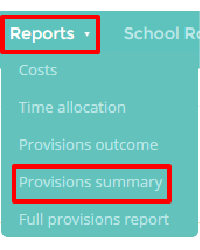
Provisions summary reports provide you with an overall breakdown of your school’s provisions. To view a time provisions summary report, mouse over the Reports tab at the top of the page and select Provisions summary from the drop down menu.
Next, enter the time frame that you would like the report to cover and any additional criteria (such as including archived provisions or restricting the results to specific pupils).
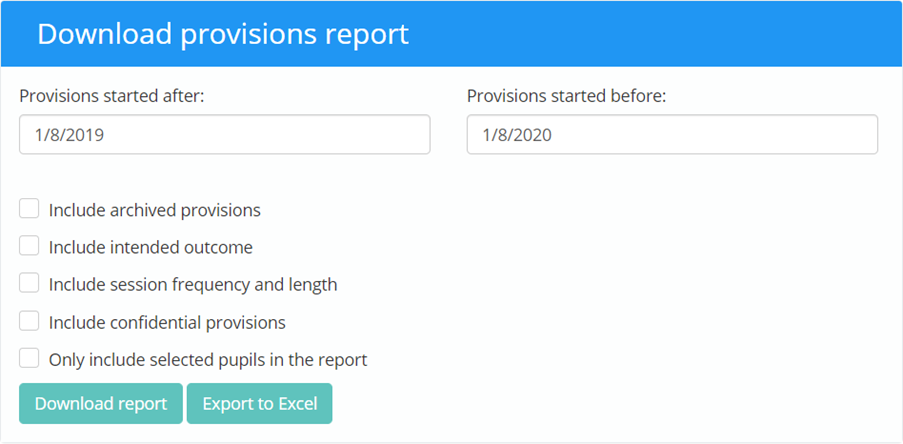
Download report: Clicking on this option will generate a pdf that contains a summary of each provision.
Export to Excel: Clicking on this option will send the results of the report to an Excel spreadsheet.
Was this article helpful?
That’s Great!
Thank you for your feedback
Sorry! We couldn't be helpful
Thank you for your feedback
Feedback sent
We appreciate your effort and will try to fix the article