Once you have created a learning plan you are able to review it. There are several different methods for reviewing learning plans.
Reviewing plans from the home page
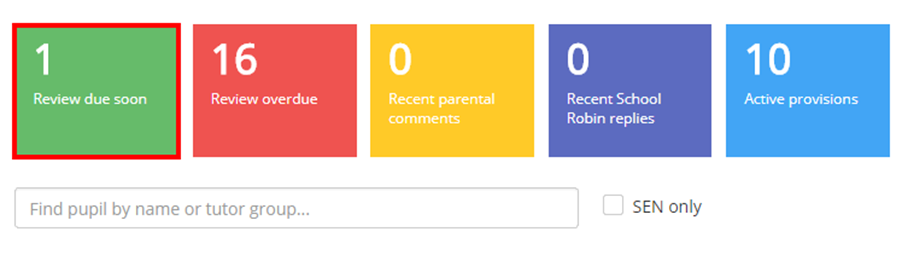
If you have specified a review date on your learning plans, you will see review reminders appear within the box labelled Review due soon on the home page. Click on the box to be taken to a list of plans that are ready to be reviews.
Reviewing plans from the Plans Menu
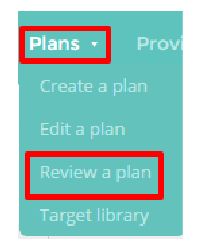
Mouse over the Plans menu option at the top of the page and select Review a plan.
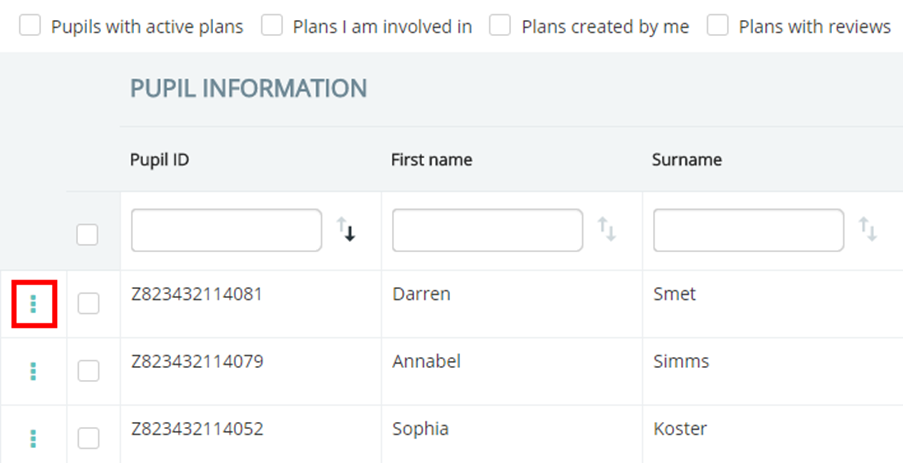
You will be taken to a list of your school’s plans. To review a plan, click on the 3 dots menu next to an entry in the list and select Review current plan (notepad icon).
Reviewing a plan from within a plan
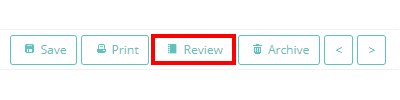
You can also review a learning plan as you are viewing it. To do this, click on the Review button in the top right hand corner of the screen when accessing a plan.
Creating a new review
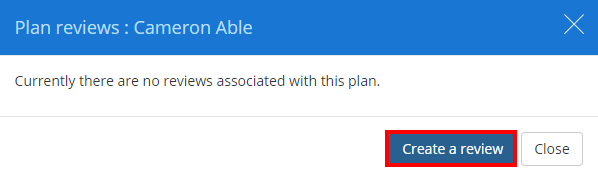
Once you have clicked on the Review button you will be presented with the popup below. If you have already performed a review for this particular plan, you will be prompted to edit the existing review or create a new review.
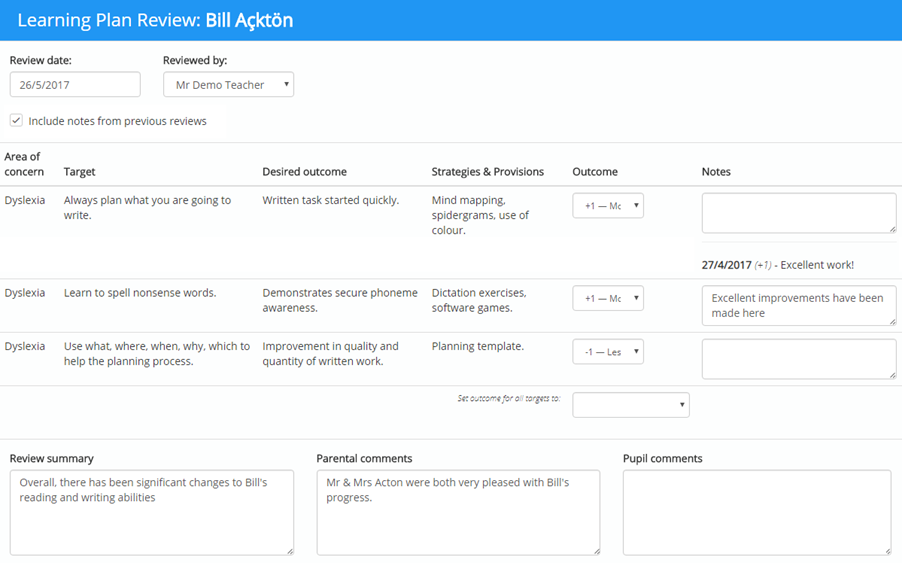
Next, enter the review details into the relevant text boxes. You are able to specify the outcome of each target (the extent that the pupil met each target), add additional notes for each target, summarise the review and add Parental and Pupil comments.
If the plan has been reviewed before, tick the checkbox labelled Include notes from previous reviews to display notes from those reviews here.
Once the review has been completed click on the Save button in the top right hand corner to save the review.
Was this article helpful?
That’s Great!
Thank you for your feedback
Sorry! We couldn't be helpful
Thank you for your feedback
Feedback sent
We appreciate your effort and will try to fix the article