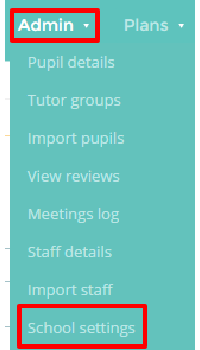
Provision Map allows you to create and manage your own custom SEN stages. To create a new SEN stage, mouse over the Admin tab and select the School settings option from the drop down menu.
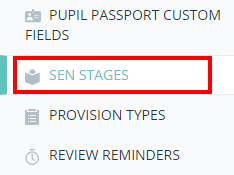
Next, either scroll down to the SEN Stages section or click on the SEN Stages option in the navigation menu to the left.
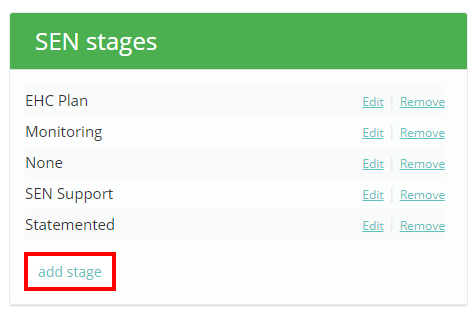
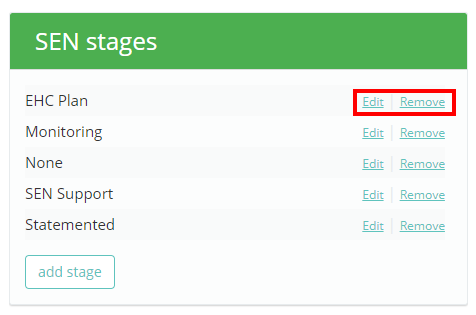
You will be presented with a list of your existing SEN stages. Click on the Add stage button to create a new SEN stage.
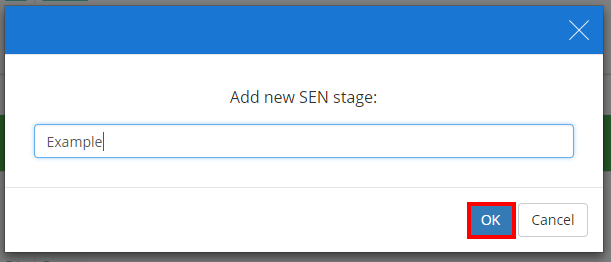
A pop up dialog will appear. Enter a name for the new SEN stage and click OK. The new SEN stage should now appear in the list.
You can also change a stage’s name by clicking the Edit button, or delete a stage by clicking the Remove button.
Was this article helpful?
That’s Great!
Thank you for your feedback
Sorry! We couldn't be helpful
Thank you for your feedback
Feedback sent
We appreciate your effort and will try to fix the article